When processing a job with registration marks, the machine slightly reduces the working area.
It does this because even though the file should fit within the working area, jobs can be scaled or loaded onto the machine at an angle, making it mechanically impossible for the machine the read the marks.
When there are multiple sets of registration marks in the X direction, the machine will split the job into multiple segments and output.
When there are only registration marks on the corners and if they are near the edge of the working area, the machine will give the marks are too far in the X direction error.
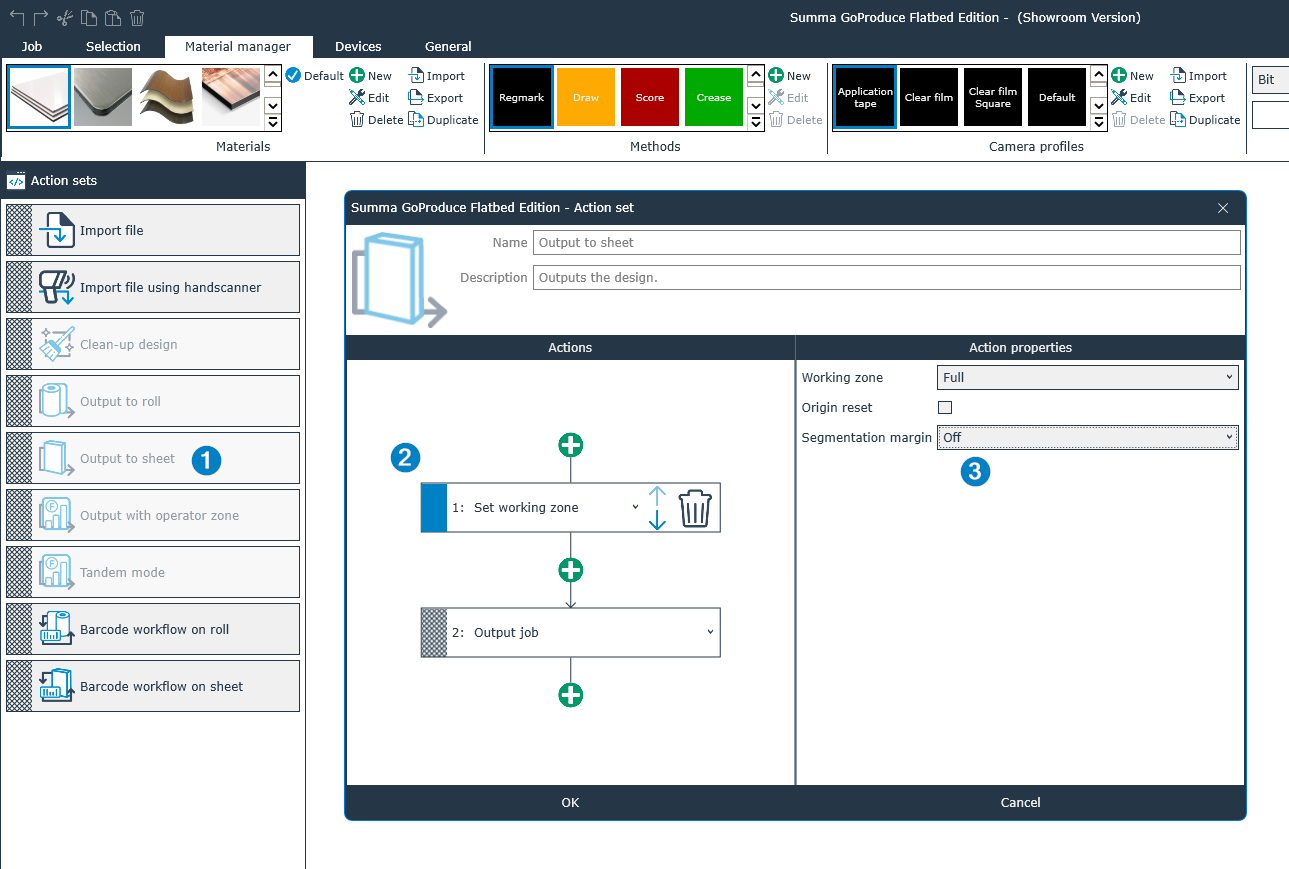
This safety margin can be switched OFF:
- Right click the output to sheet action
- Select the set working zone action
- Switch OFF segmentation margin
Was this article helpful?
That’s Great!
Thank you for your feedback
Sorry! We couldn't be helpful
Thank you for your feedback
Feedback sent
We appreciate your effort and will try to fix the article